


FOX Sports: Watch Live Games
3.717.30K Reviews
App Specs
- Version
- Varies with Device
- Updated On
- License
- Free
- Downloads
- 10,000,000+
- Developer
- Fox Digital Services, LLC
- Categories
- Sports
- Platform
- Android, iOS
Screenshots

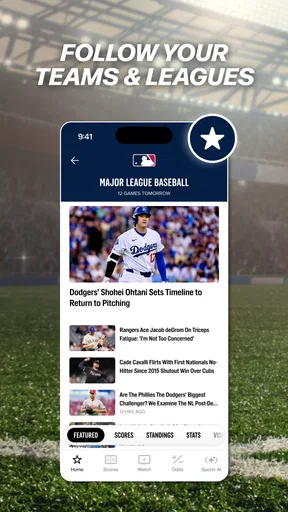
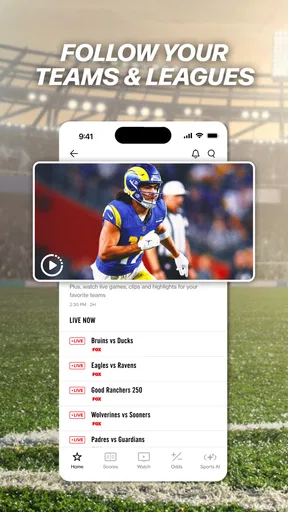
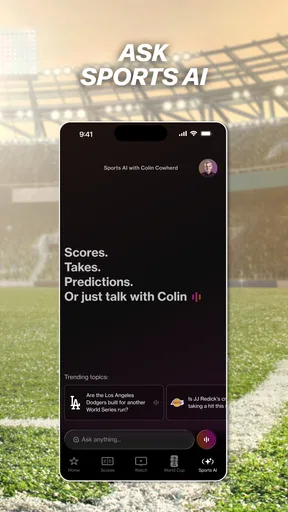
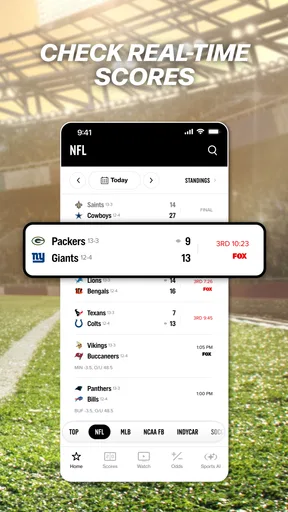


 Analysis by AppCompare
I judge a sports app less by the excitement of the first live game than by whether it remains useful after that game is over. FOX Sports: Watch Live Games has a clear appeal for fans who follow several competitions: it brings coverage of baseball, motorsport, college basketball, soccer, and other events together in one place. That breadth can make it a handy part of a weekly routine, though it does not automatically make it the right place to watch every match.
Why the first week feels useful
For a new user, the immediate draw is simple: open the app and look for what is live or coming up. FOX Sports Interactive has built a sports app around viewing and following events, rather than a single team or league. If your interests move between an MLB game, a NASCAR race, college basketball, and soccer, that range can save you from checking several separate apps just to see what is on.
The app is free to download, with a Teen content rating, and it has been available since 2011. Its average rating is 3.8 from around 61,000 ratings, with roughly 17,000 written reviews and over 10 million installs. Those figures suggest a well-established audience, but they are not a promise that every stream, device, or viewing situation will suit you. I would treat it as a convenient starting point and check whether the events you care about are actually available to watch in your circumstances.
From occasional viewing to a routine
The app’s longer-term value depends on how many of its sports you follow and how often you want to watch live. It has more staying power for someone who tracks multiple seasons than for a fan who only tunes in for one occasional event. If you follow a narrow set of fixtures, a league-focused service or the broadcaster carrying those games may be a more direct fit; if your calendar spans several of FOX Sports’ covered competitions, one app can help keep that routine in view.
A useful habit is to decide what you want from the app before opening it: a live event, a particular matchup, or a quick check on what is happening. That keeps a sports hub from turning into an endless scroll when you only have a few minutes. In-app purchases are available, with items ranging from $0.99 to $74.99, so I would check the details of any purchase before confirming it rather than assuming every part of the experience is included at no cost.
What can wear thin over time
Live sports are time-sensitive, which is both the app’s main attraction and a source of friction. A stream is most valuable when it works at the moment you need it, but watching on a phone also depends on a stable connection, enough battery, and a screen you can comfortably follow. If you are settling in for a long event, a television or another larger-screen option may be the more relaxed choice; the phone makes more sense when you are away from home or want to keep up discreetly.
There is also a practical difference between wanting a sports overview and wanting one particular broadcast. A multi-sport app can reduce the number of places you check, but it may still be less convenient than going straight to the service you already use for a specific league or event. I would not keep it installed merely because it covers a long list of sports; I would keep it if those competitions show up in my actual week often enough to justify another app and its notifications.
Worth Reading Before You Choose

EA SPORTS FC Mobile 26 Is a Bigger Football Game, but It Takes Time

Flipboard Shows What News Apps Must Do Beyond the Feed

Switching to Android Auto Means Rethinking Your Driving Routine

Google Calendar Makes a Crowded Week Easier to Manage

Ludo King Makes the Most of the Minutes Between Plans

Baby Panda World Brings Quick Play to Modern Phones, but Its Game Library Feels Busy
First Impressions and User Interface
Right off the bat, the app greets you with a sleek and user-friendly interface. It's got that modern vibe, with easy navigation that even a rookie tech user could appreciate. The layout is clean, making it super simple to find the game you want to watch without getting lost in a maze of menus.
The home screen showcases live games, upcoming matches, and highlights, all neatly organized. With just a few taps, you're in the action, whether it's catching up on last night's game or setting reminders for the next big match.
Features That Score Big
The FOX Sports: Watch Live Games app isn't just about watching games. It's like the Swiss Army knife of sports apps. Here's what stood out to me:
- Live Streaming: Obviously, this is the main event. The streaming quality is top-notch, even on a shaky Wi-Fi connection. No more FOMO when you're stuck at a family dinner.
- Real-Time Stats: For the stat nerds out there, this one’s a gem. You get up-to-the-minute stats, player updates, and even some juicy insights.
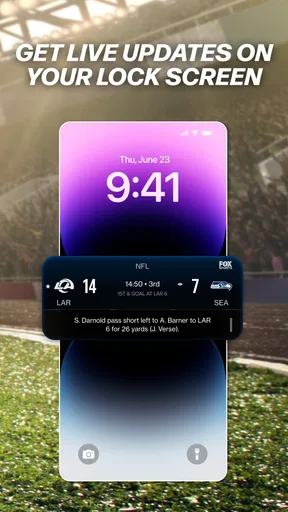
- Custom Alerts: Never miss a game with personalized alerts. Whether it's a kickoff reminder or a goal notification, the app has you covered.
- Scoreboards and News: Stay updated with live scoreboards and breaking news. It's like having your personal sports news channel.
Making a match fit an ordinary day
One realistic use is checking the schedule before leaving work, then deciding whether to watch a game on the commute or save it for home. If a live event is the priority, I would open the app while still on a reliable connection, confirm that the event is available, and avoid relying on a last-minute search when the start time arrives. On a crowded train, score updates may be more practical than streaming; at home, the phone can help me follow a second event while the main broadcast is on a larger screen.
That split-screen role is one of the better reasons to keep a sports app around even when it is not my primary viewing option. I can use it to check what is happening in a different competition without switching the main television broadcast. The trade-off is attention: trying to follow two live events closely can make both less enjoyable. I find the app most useful when I choose one event to watch and treat other scores as quick checks rather than competing broadcasts.
Small habits that reduce the hassle
Alerts are most helpful when they are selective. I would turn on reminders only for teams, games, or moments I genuinely care about, rather than allowing every available prompt to interrupt the day. That is a simple way to keep the app useful without letting sports notifications become background noise. If you later find yourself ignoring them, trimming alerts is more effective than deleting the app immediately.
Before an important game, it is also worth opening the app early enough to locate the event and check the viewing path. That gives you time to switch to another option if the broadcast is not available to you or the connection is poor. I would not assume that a list of sports means every event in those sports is included for every viewer. For someone planning around a particular match, verifying it in advance is a more dependable workflow than waiting until kickoff.
Where it sits beside other sports options
Compared with a team-specific app, FOX Sports is better suited to browsing across several sports and competitions; a dedicated team app may be better for someone who mainly wants one club’s updates and community. Compared with a general score app, a live-streaming sports app has the advantage of putting viewing closer to the center of the experience, while a scores-first alternative can be quicker when all you need is a result. And compared with watching through a television provider, a phone app is more flexible when you are away from home, but the smaller screen and dependence on mobile connectivity are real compromises.
I would choose based on the job I need done, not on which option has the longest feature list. For live viewing across the competitions it covers, this app has a clear role. For a single league, a specific broadcast, or a dedicated second-screen experience, the relevant broadcaster or a focused companion app may be easier. That distinction matters most after the novelty fades: an app earns space when it reliably fits a repeated habit, not simply because it can do several things.
Performance and Compatibility
Now, let's talk about how this app performs. I tested it on both Android and iOS, and it runs like a dream on both platforms. No crashes, no bugs—just smooth sailing. The developers did a solid job ensuring compatibility across a range of devices, which is a big win for users.
One thing I particularly appreciate is the low latency in live streams. There’s nothing worse than getting a spoiler from your buddy who's watching the same game on TV. With this app, you’re right in the action, almost in real-time.
Limits worth weighing before settling in
My main reservation is that live viewing asks more of a phone than checking a score: a sustained connection, a charged device, and enough time to pay attention. A brief interruption can matter more during a close finish than during a casual browse. If you regularly watch full-length events, I would plan around those needs and use a larger screen when comfort matters more than portability. If you only want occasional results, a lightweight scoreboard may be a better match for your routine.
The range of in-app purchase prices also means I would be deliberate about spending. Free access is a good way to see whether the app fits your habits, but I would inspect what a particular purchase provides and whether it is relevant to the event or feature I want. I would not pay simply because an option appears during browsing. A purchase makes sense only when it solves a specific need that comes up repeatedly.
Final Thoughts
All in all, FOX Sports: Watch Live Games is a game-changer for sports fans. It's got all the bells and whistles you need to stay on top of your favorite sports, and it's wrapped up in a sleek, easy-to-use package. If you're like me and can't stand missing a game, do yourself a favor and give this app a shot. It's like having a front-row seat, no matter where you are!
So, grab your phone, download the app, and get ready to cheer on your team like never before. Who needs cable when you’ve got FOX Sports: Watch Live Games in your pocket?
Who should keep it installed?
I would recommend trying it if your sports calendar regularly crosses the competitions it covers and you value having a mobile place to look for live action. It is also useful for someone who wants to check a fixture before committing to a longer viewing session, or who needs a quick way to stay connected while away from a television. Its appeal is less convincing for a person who watches only one occasional event, already has a dependable way to see that event, and rarely checks other sports.
The best test is practical rather than abstract: use it for the next few events you already planned to follow. Notice whether it saves time finding coverage, whether the phone is comfortable for the length of those events, and whether its alerts are genuinely helpful. If it becomes part of that routine, the free download has earned a place on your device. If you keep opening it without finding something you want to watch, it is reasonable to rely on a more focused alternative.
A lasting role, not just opening-night excitement
For me, this app works best as a flexible sports companion rather than an automatic replacement for every other way of watching. The breadth of its coverage gives it recurring value when several sports matter to you, while the demands of live streaming and the possibility of paid items mean it is worth using with a little intention. I would keep notifications focused, check a must-see event ahead of time, and choose a larger screen for long sessions when I can.
That is a modest but useful role: one place to explore live sports and follow the competitions that actually fit your week. The app will not make every match easier to watch, and a dedicated service may still be better for a narrow interest. But if FOX Sports’ mix lines up with your habits, it can remain useful well beyond the first burst of curiosity.
Pros
- High-quality live streaming of sports events.
- User-friendly interface with easy navigation.
- Wide range of sports and leagues covered.
- Real-time scores and live commentary.
- Option to customize alerts for favorite teams.
Cons
- Requires a subscription for full access.
- Occasional ads can interrupt streaming.
- App may drain battery quickly during use.
- Limited offline viewing options.
- Some users report occasional streaming lags.
FAQs for FOX Sports: Watch Live Games
What sports can I watch live on FOX Sports?
FOX Sports offers a wide range of live sports events, including NFL, MLB, NBA, NHL, college football, and soccer. Additionally, users can catch NASCAR races, UFC fights, and various other sports events. The app provides a comprehensive selection for sports enthusiasts, ensuring you never miss your favorite games.
Is a subscription required to access all features in FOX Sports?
While FOX Sports offers some content for free, accessing live games and exclusive features typically requires a subscription. Users may need to authenticate through their TV provider or opt for a standalone streaming package. It’s essential to check the specific requirements based on your region and service provider.
Can I watch FOX Sports on multiple devices?
Yes, you can watch FOX Sports on multiple devices, including smartphones, tablets, and smart TVs. The app supports both Android and iOS, allowing you to catch games on the go. Ensure you have a stable internet connection for seamless streaming across all your devices.
Are there any regional restrictions for streaming live games on FOX Sports?
Yes, some live games and events on FOX Sports may be subject to regional restrictions due to broadcasting rights. This means certain content might not be available in your area. It’s advisable to check the app or website for specific availability in your location to avoid any disappointments.
Does FOX Sports offer on-demand content or highlights?
Absolutely! FOX Sports provides a variety of on-demand content, including game highlights, expert analysis, and replays. This feature allows users to catch up on missed games or relive exciting moments. Whether you’re interested in post-game insights or quick highlights, the app has you covered.


